

- Studio Vektor
- Services
- Portal development
Portals & dashboards
Custom Customer Portals, Sales Portals and Business Dashboards
Give customers, clients and sales teams one place to see status, documents and numbers, instead of chasing them by email. Projects start with a clickable prototype: a dashboard prototype from $735 or a custom-priced portal prototype. The working, logged-in version is built after a short technical discovery.
What we build
Four kinds of tool, one principle: show each person the information they need, in the order they need it, and nothing they shouldn’t see.
Customer portals
Status without the status emails
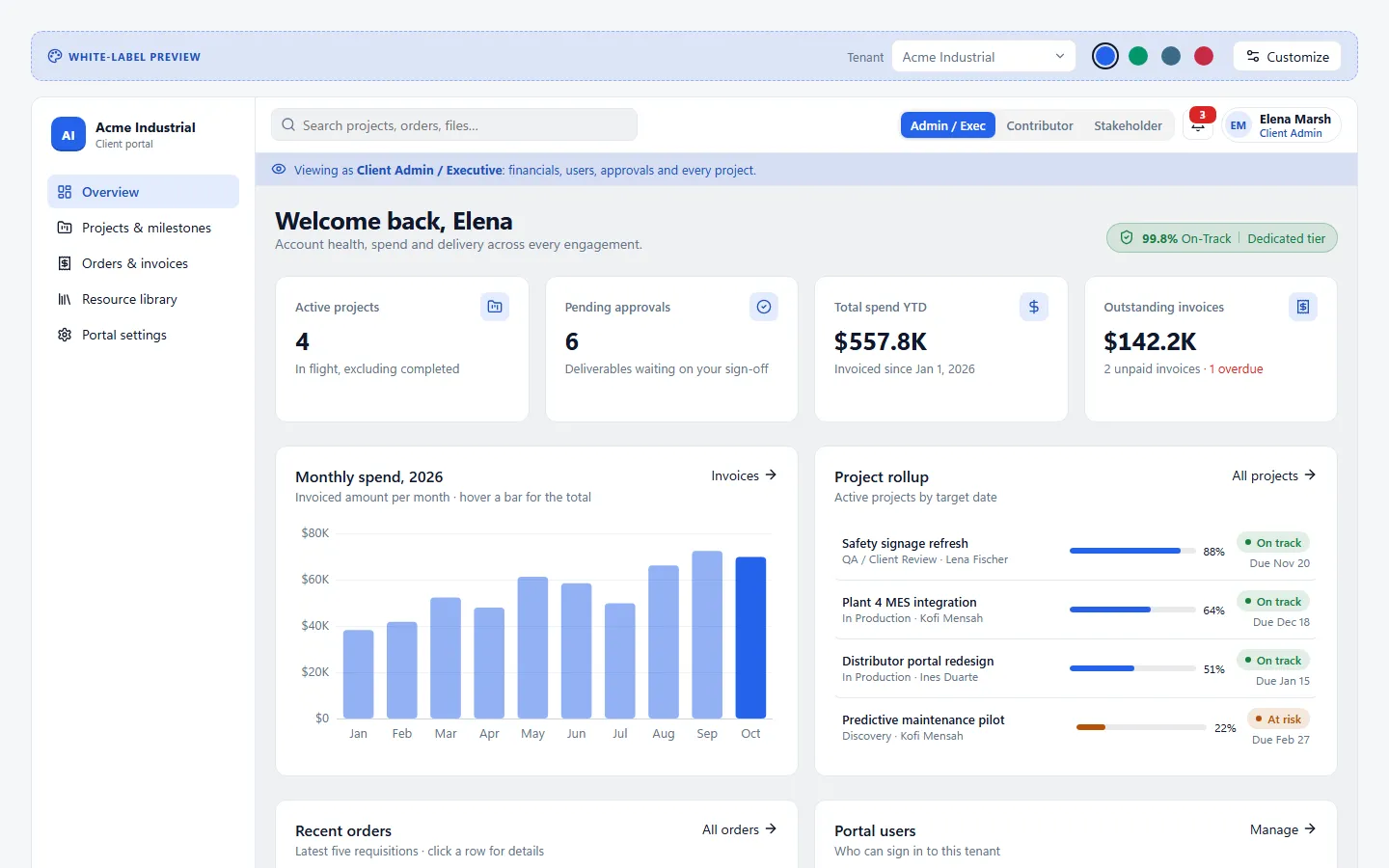
Account summaries, project and order status, invoices, approvals and a library of the files customers keep asking for. Can be white-labelled per client account.
Sales portals
The right material, mid-conversation
Role-specific views for reps and partners: current pricing sheets, case material, battlecards and the next steps for each deal, instead of a shared drive nobody can search.
Legal client portals
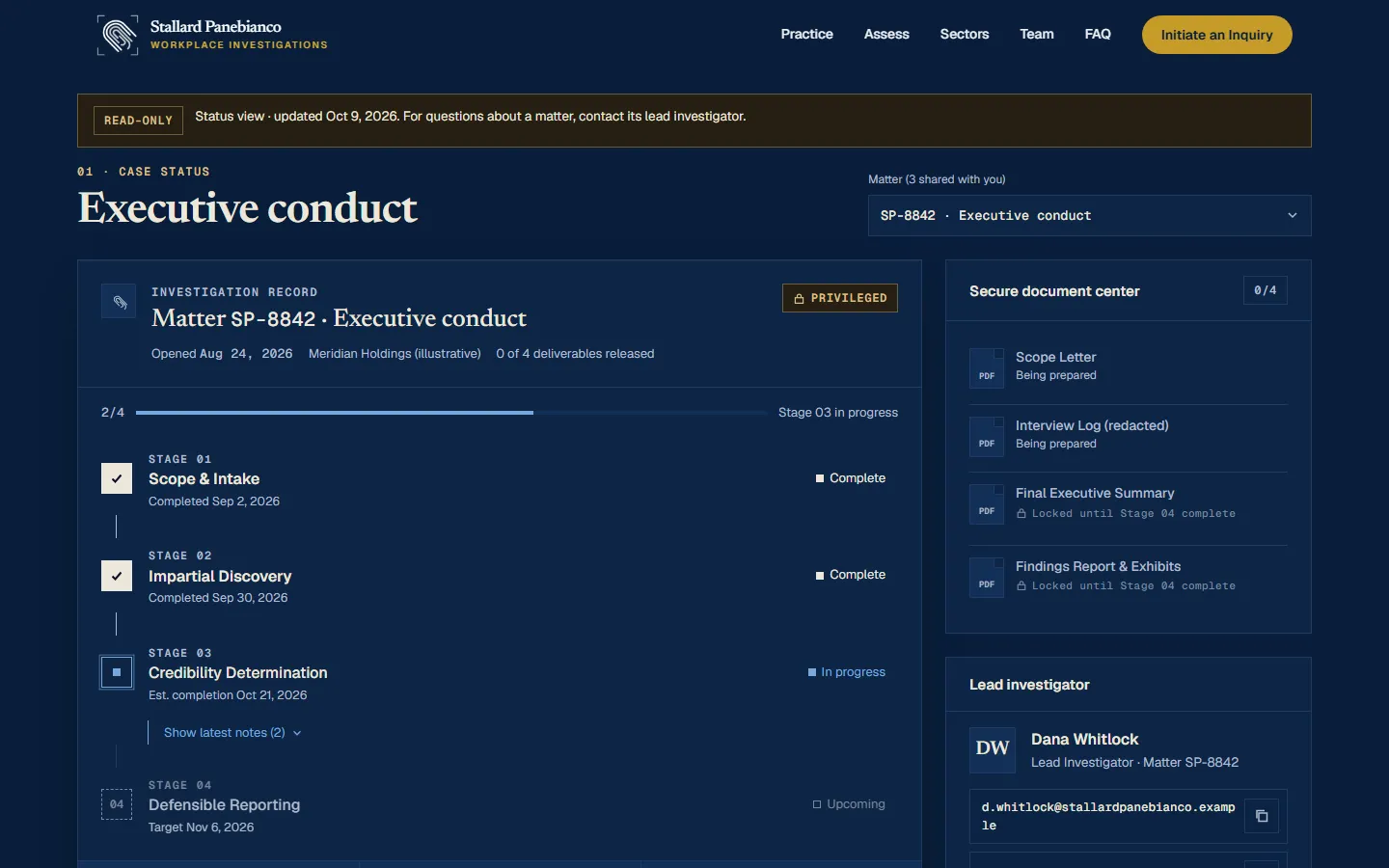
Matter status clients can understand
Milestones, key dates, plain-language updates and authorized documents, designed in your firm’s brand. Production builds need authentication and confidentiality requirements agreed first.
Business dashboards
One picture of the numbers
KPI, sales, project and operations dashboards with filters, date ranges, searchable tables and status indicators, connected to a data source you already have.
Prototype or production?
They are different things and they are priced differently. Most projects start with the first and grow into the second.
| Clickable prototype | Functional portal or dashboard | |
|---|---|---|
| What it is | Designed, clickable screens that behave like the finished tool | A working application your customers or team sign in to |
| Data | Sample data and sample accounts only | Your real data, from sources agreed in scope (spreadsheet, database or API) |
| Logins and permissions | Shown as screens; nobody actually signs in | Authentication and role-based access for defined user types |
| Confidential information | Never; nothing is stored | Handled under requirements agreed with you (and your IT or compliance team where needed) |
| Best for | Testing the idea with customers, getting internal buy-in, briefing developers | Daily use by customers, clients or staff |
| Starting price | Dashboard from $735 · Portal: custom quote | Dashboard $1,950+ · Portal $4,500+ |
| Timeline | 3 days to 1 week | Set after technical discovery |
| Prototype credit | Go ahead with the functional build within 30 days and 50% of the prototype fee is credited toward it. | |
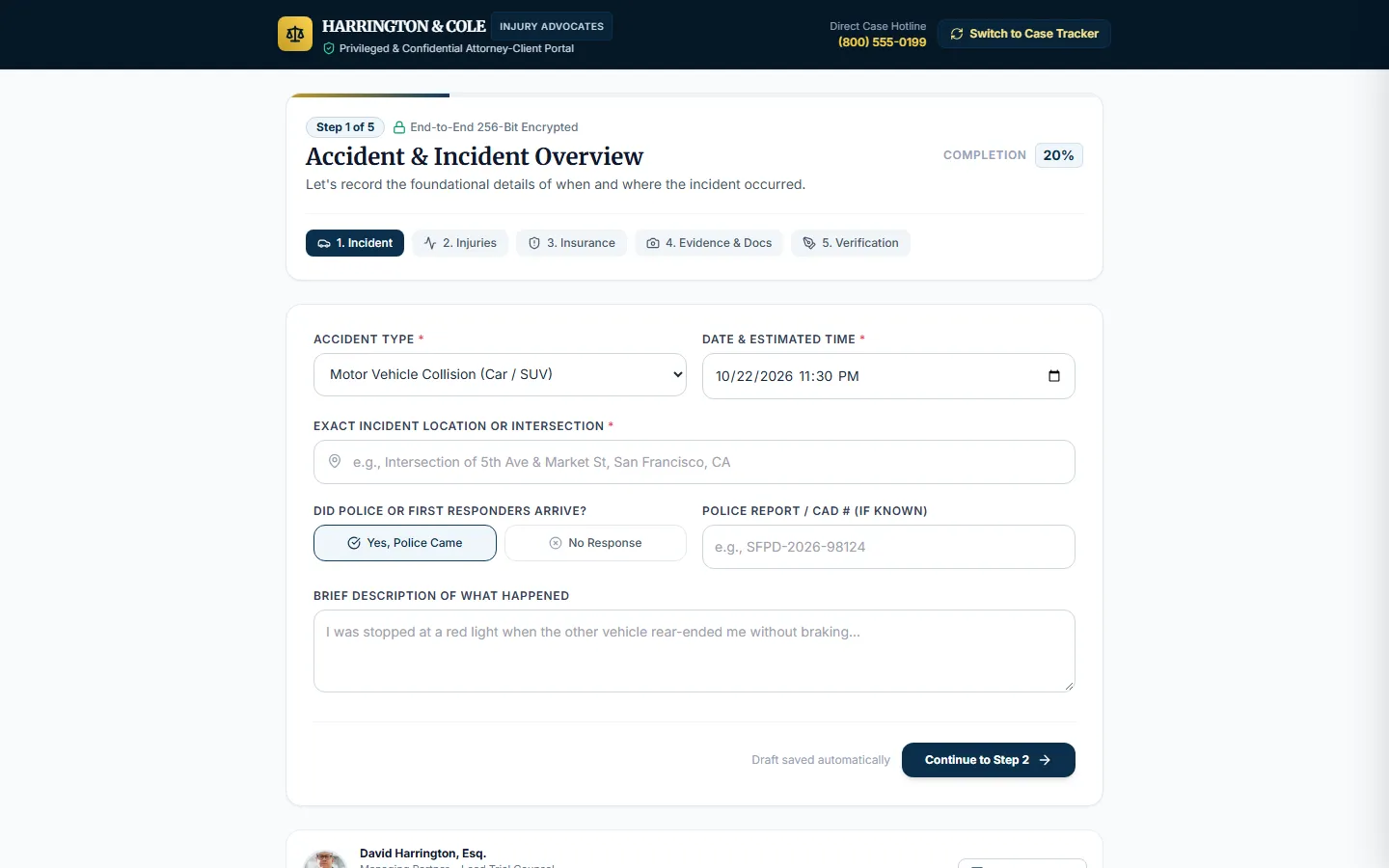
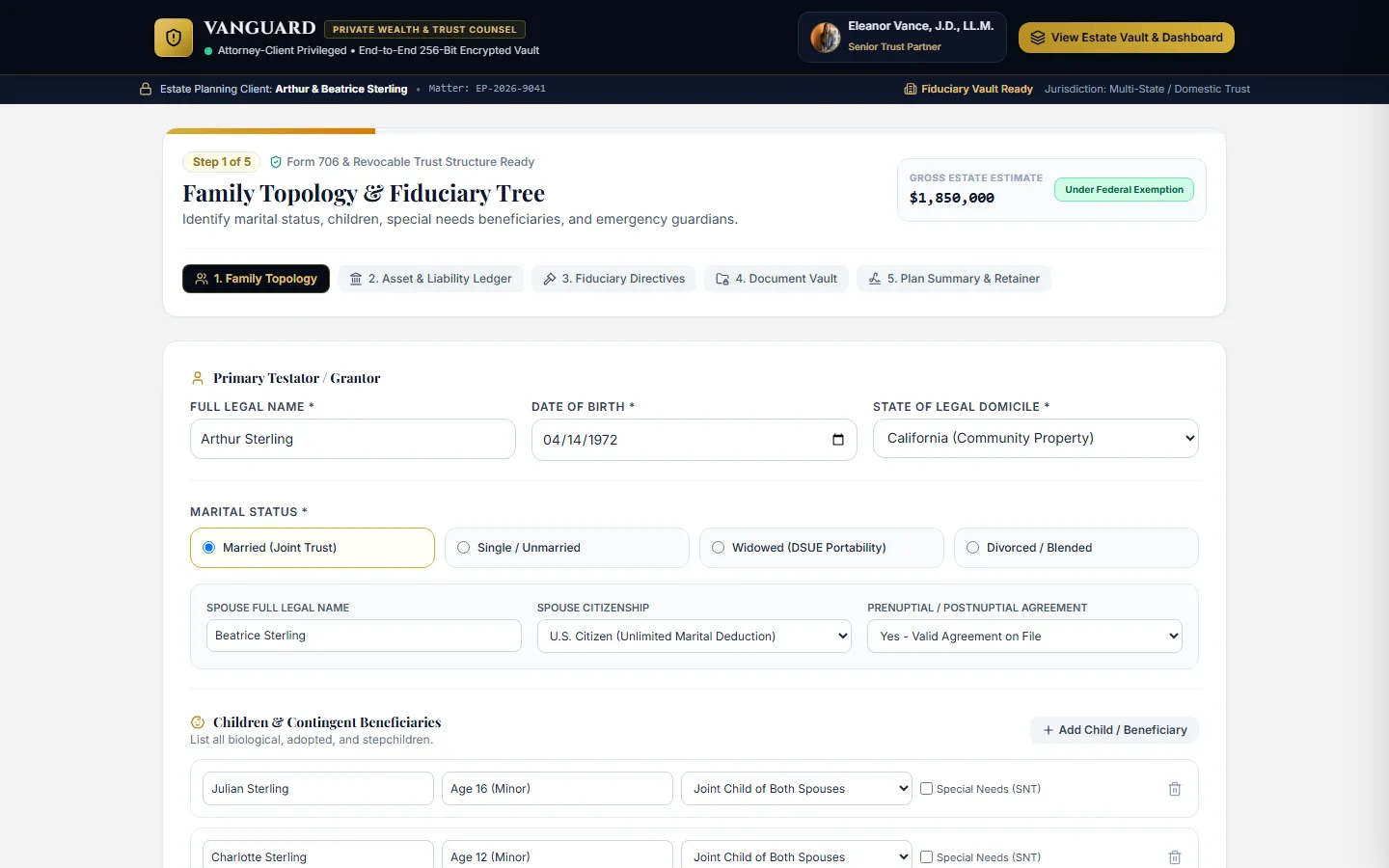
Every example on this page is a prototype with illustrative data. None of them stores information, and any security or compliance badges shown inside them are part of the mock-up, not certifications.
Live demonstrations
Open any of them. They are fully clickable and use invented firms, clients and figures.
Also see the courtroom trial-timeline tool and the sample dashboard on the homepage, which you can filter by date range and region.
Features to choose from
A portal is only as useful as its first screen. We pick the few features that remove the most emails and calls.
Status and timelines
Stages, milestones, due dates and progress toward each target, with plain-language notes from your team.
Documents and approvals
Deliverables, contracts and specs in one versioned library; sign-offs recorded instead of buried in email threads.
Roles and permissions
Admins see billing and users; contributors see tasks; stakeholders see milestones and final files. Each view is designed, not just hidden.
Orders and invoices
Requisitions in flight, invoices with status and statements to download, visible only to the people who pay them.
Dashboards and KPIs
Tiles, charts and tables with filters and date ranges, showing the same numbers to everyone at the same time.
Guided intake
Multi-step forms that collect the details you need once, with checklists and progress, instead of back-and-forth by phone.
How a portal project runs
Prototype first, so the expensive part is built once, on decisions your users have already reacted to.
- 01
Map the questions
What do customers or staff ask you most often, and where does the answer live today? That list becomes the first screens.
- 02
Clickable prototype
Up to 5 portal screens or 3 dashboard screens with sample data, to show your team and a few real users.
- 03
Technical discovery
Users and roles, data sources and access, hosting, and any security or compliance requirements. Then a fixed quote for the build.
- 04
Build and launch
Authentication, the agreed screens and data connections, deployment and handoff documentation.
Published pricing
Starting prices for the published scope. Functional builds are confirmed in a written quote after discovery.
| Service | Starting price | Scope | Typical timeline |
|---|---|---|---|
| Interactive dashboard prototype | $735 | Up to 3 screens; filters, charts and tables with sample data | 3–5 days |
| Portal design prototype | Custom quote | Up to 5 screens; sample accounts, status views, documents and timelines | About 1 week |
| Functional dashboard | $1,950+ | Defined views on one existing data source, access control, deployment | After discovery |
| Functional customer or client portal | $4,500+ | Authenticated roles, agreed screens and data sources, deployment | After discovery |
Portal questions
Anything else? Email it and you’ll get a direct reply.
Why start with a prototype instead of building the portal?
Because most of the cost of a portal is in building screens people end up not using. A prototype lets customers and your team react to real screens for a fraction of the price, and it gives developers an exact brief for the build.
Can the portal connect to our existing systems?
Often, yes: a spreadsheet, database or a system with an API can usually feed a portal or dashboard. Nothing connects automatically, and integrations decide much of the cost, so they are confirmed during technical discovery before a price is fixed.
Is a legal client portal secure enough for confidential matters?
A prototype holds no client information at all. A production portal for confidential matters needs authentication, authorization, privacy protections and secure hosting, and possibly a review by your firm’s IT or compliance team. Those requirements are defined with you first; no security certification is implied.
Can each client get their own branded portal?
Yes. The white-label demonstration shows how one portal can carry each client account’s name, logo badge and accent color, with the same features underneath.
How much does a customer portal cost?
A clickable dashboard prototype starts at $735. Portal prototypes vary more with the number of screens and user roles, so they are priced by custom quote after a short call. If you go ahead with the working version within 30 days, 50% of the prototype fee is credited toward it. Working versions start at $4,500+ for a portal and $1,950+ for a dashboard, confirmed after discovery because users, data and security drive the price.
Who hosts and maintains it?
Hosting is paid by you, directly to the provider, so you stay in control. Deployment and handoff documentation are part of a functional build; ongoing support can be contracted separately.
Start with the questions you answer every week
Tired of answering the same status emails?
Tell us who would use the portal and what they ask for most. You’ll get a reply with a suggested first prototype, a price and a timeline.