

- Studio Vektor
- Interactive eBooks
- TriNet: The Power of HR Outsourcing
Case study · Interactive eGuide
The Power of HR Outsourcing, rebuilt as an interactive eGuide
A buyer’s question (“should we outsource HR?”) deserves an answer that fits the buyer. The interactive edition of TriNet’s guide asks readers about their own hours, needs and priorities as they go, across seven chapters, three tools and a self-assessment.
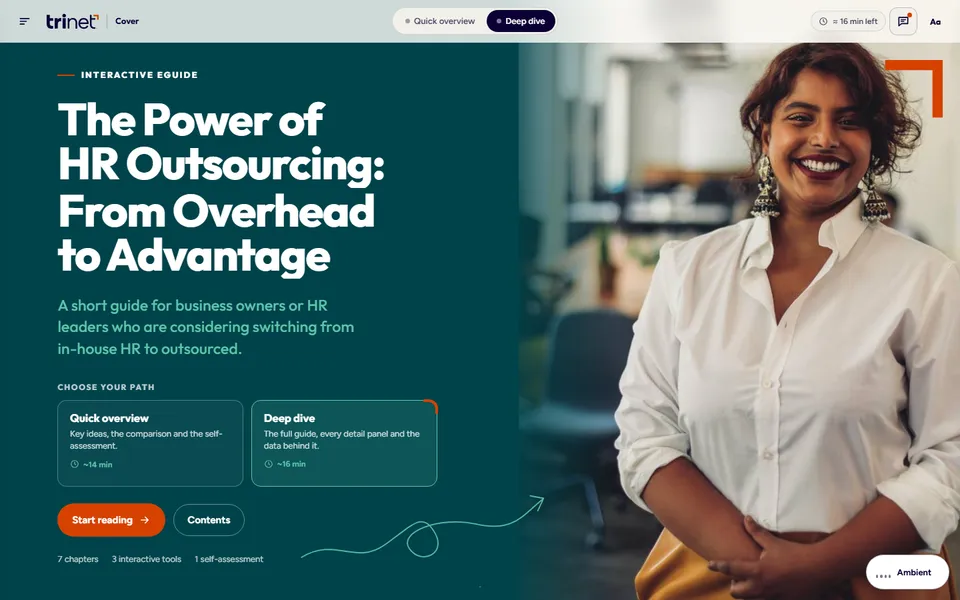
- Publisher
- TriNet
- Original format
- 12-page portrait PDF guide
- Edition
- 7 chapters, 3 tools, 1 self-assessment
- Status
- Independent portfolio demonstration
An interactive edition of a guide TriNet published. The text and figures are TriNet’s; the reading paths, tools, interactions and build are Studio Vektor’s. Not commissioned by, affiliated with or endorsed by TriNet. The admin-hours grid is illustrative (it assumes 52 working weeks of 40 hours), and the self-assessment is a starting point for a conversation, not advice.
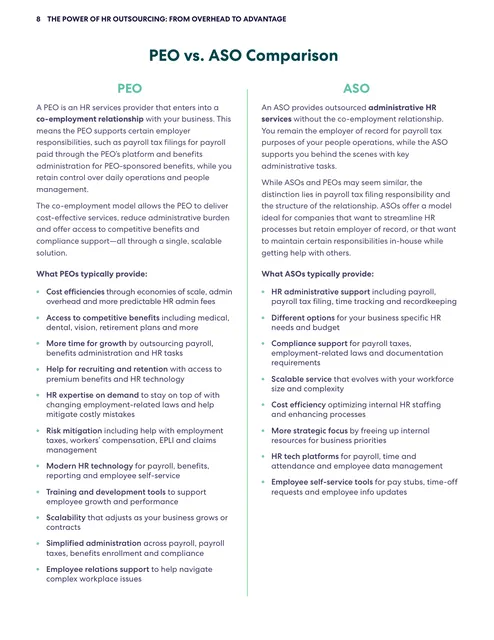
The starting point: a decision guide in print layout
The 12-page guide helps business owners and HR leaders weigh in-house HR against outsourcing, including the difference between a PEO and an ASO. It is clear and well organized, but it is written for everyone at once, and the comparison pages are dense two-column text. The reader has to work out alone which model fits a company of their size.
The brief
A decision guide succeeds when the reader finishes it knowing what to do next. The edition had to take a general guide and end it with a personal answer.
Make the cost of doing nothing visible
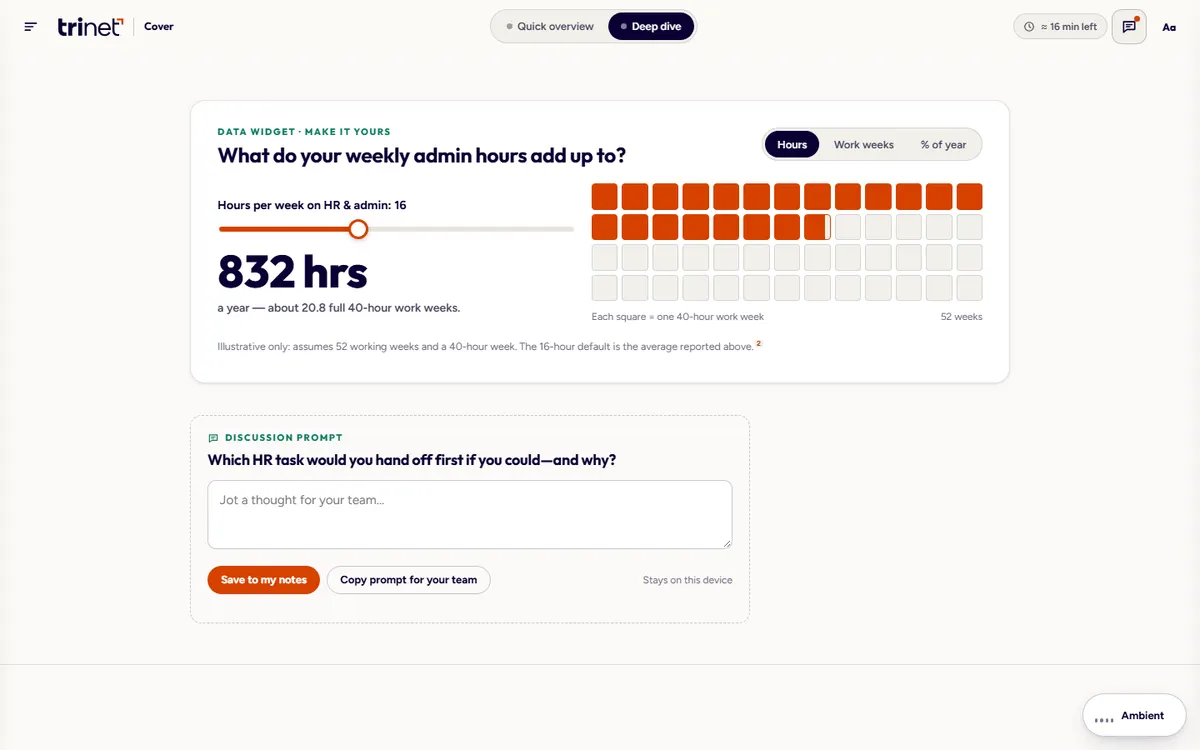
“Hours a week on admin” is easy to shrug off. Hours and work weeks per year are harder to ignore.
Make PEO vs ASO easy to compare
The difference comes down to a few dimensions: co-employment, payroll tax, benefits, risk and technology. The reader should be able to compare one dimension at a time.
End with a recommendation
Six yes-or-no questions should lead to one of three clear signals: a PEO, an ASO or hybrid, or staying in-house for now.
Who it is for
Owners and HR leaders at small and midsize businesses who are asking a quiet question: “Am I doing this right?”
The owner doing HR on the side
Has 15 minutes. Takes the Quick overview: key ideas, the comparison and the self-assessment.
The HR lead building a case
Takes the Deep dive: every detail panel, the data behind it and author reflections.
The team discussing it
Uses discussion prompts and notes to bring the guide into a leadership conversation.
From PDF to edition, chapter by chapter
Seven chapters mirror the PDF’s contents. Each follows one template: a 30-second summary, the text with margin notes, one interactive module, a discussion prompt and a completion marker.
| Chapter | The question it answers | In the interactive edition |
|---|---|---|
| 1 · The dilemma | How much time does HR admin really take? | Listen-along narration, a guess-then-reveal statistic and the admin-hours tool |
| 2 · A helpful resource | Why read on? | A 30-second summary and the guide’s framing, with margin notes |
| 3 · Two paths to outsourcing | Partial or comprehensive? | An animated diagram: switch between in-house, partial and comprehensive and watch HR tasks move from your team to a provider |
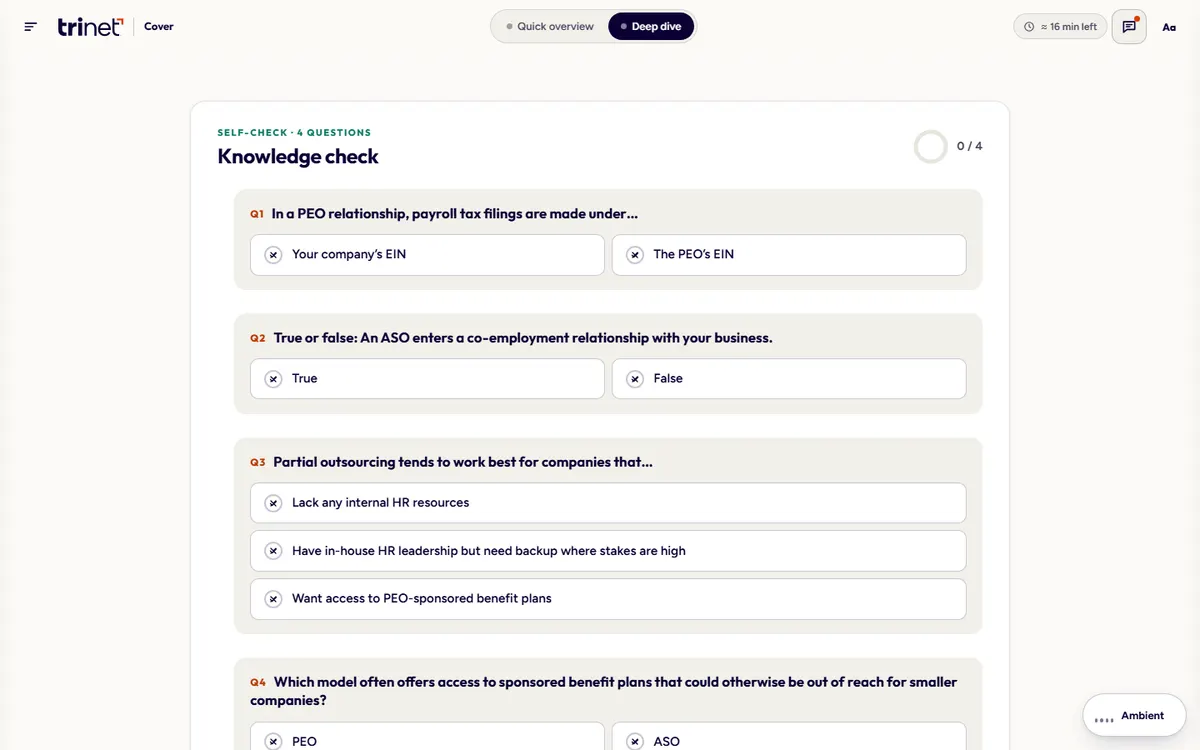
| 4 · PEO vs ASO | Which model fits? | A side-by-side comparison filtered by dimension, then a four-question knowledge check |
| 5 · When to switch | What are the signs it’s time? | An illustration of how in-house HR grows into a burden, with a looping animation slot that can be paused |
| 6 · Assessment | Is outsourcing right for my business? | Six yes-or-no questions that end in one of three signals, with a result to copy |
| 7 · Consider TriNet | What does TriNet offer? | Key differentiators and outcomes reported by customers, as published in the guide, with next steps |
What Studio Vektor did
Reframed a general guide as a personal decision path.
Two paths from the first screen
Readers choose Quick overview or Deep dive on the cover, with the estimated time shown, and can switch whenever they like.
Made the cost of admin visible
An admin-hours tool turns “hours a week on HR” into hours and work weeks per year, with a grid that fills as the slider moves.
Clarified the PEO vs ASO choice
The comparison pages became an interactive model that shows what each option takes on and what stays with the business.
Ended with the reader’s answer
A knowledge check and self-assessment close the guide, with badges and a finish screen that recaps what the reader collected.
Interactive features
Three tools and a self-assessment inside seven short chapters.
Predict, then reveal
Before the guide states how many hours a week small business leaders spend on admin, the reader slides to a guess and locks it in. The real number lands harder against their own estimate.
Who carries which HR tasks?
Eight task lanes, from payroll to compliance and risk, move between “your team” and “supported by a provider” as the reader switches models, while a meter shows the team’s remaining HR load.
PEO vs ASO, one dimension at a time
Filter the comparison by co-employment, payroll tax, benefits, risk or technology. On small screens the table becomes cards.
Six questions, one signal
Three or more “yes” answers point to a PEO, one or two to an ASO or hybrid model, none to staying in-house for now. Answers stay on the reader’s device and the result can be copied.
Reading experience
A “Make it yours” drawer puts every reading choice in one place.
Reading track
Quick hides the deep-dive detail behind “show” stubs and recalculates reading times; Deep shows everything.
Honest reading times
Each chapter shows a live estimate: visible words at 230 words a minute plus half a minute per interactive.
Text and theme
Text size, Light, Sepia and Dark themes, a readable font, bionic emphasis and reduced motion.
Highlights and notes
Select any text to highlight, share or add a note; all notes collect in one panel and can be copied at once.
Margin notes
Author reflections float into a margin column on wide screens and become inline callouts on smaller ones.
Achievements
Nine achievements and per-chapter completion, saved in the browser, with an optional ambient soundscape that never autoplays.
Design system
A warm, human guide for a decision that is about people. TriNet’s teal, navy and orange carry through, with every pairing checked for contrast.
- Teal
#00434APrimary surface; white text 11:1 - Navy
#0B0134Ink on paper, about 19:1 - Orange
#D64100Brackets, calls to action, progress; white text 4.6:1 - Pink
#DB0661Focus ring and progress gradient, 5:1 - Plum
#6B003DGradient end and anchor chips - Mint
#5FC4AALine art and labels on teal, from the PDF
Type
Outfit for display (standing in for TriNet’s geometric brand face), Figtree for body text, and Atkinson Hyperlegible for the readable mode, which also adds letter and word spacing and looser leading.
Layout grid
A 42rem text measure (about 68 to 75 characters a line), a 15.5rem margin column for notes, and wide modules up to 61.5rem for tools and stat spreads.
Motion with restraint
Micro-interactions run in 150 to 250ms and task lanes in 620ms. All motion stops under reduced motion, whether set by the system or in the guide.
Accessibility
The edition is built to WCAG 2.2 AA, and its design specification is published inside the guide itself.
- Structure: semantic landmarks, one H1 and ordered headings, with digital-publishing ARIA roles for chapters, note references, endnotes and the glossary.
- Keyboard: a skip link, visible focus on every control, drawers that make the rest of the page inert and return focus on close, and Escape to close drawers and popovers.
- Feedback: live regions announce quiz feedback, diagram captions and the assessment result; correct and incorrect answers always use an icon and text, never color alone.
- Zoom and targets: text resizes to 137.5% with no loss of content; touch targets are at least 24px and most are 40px or larger.
- Contrast: at least 4.5:1 for text and 3:1 for interface elements and focus indicators, in Light, Sepia and Dark themes.
- Without scripts: footnotes and terms become plain links to the notes and glossary, accordions use native disclosure elements, and all content stays visible.
How it’s built
One file for the web today, with packaging notes for an EPUB tomorrow.
| Aspect | Approach |
|---|---|
| Delivery | One self-contained HTML file (about 660 KB) with all images embedded. No platform, plugin or reader app. |
| External requests | Web fonts, with system-font fallbacks |
| Narration | Word and sentence highlighting with seek-by-click and speed control; the device voice is optional, through the Web Speech API |
| State | Progress, notes and settings saved in the reader’s browser, with storage errors handled for reading systems that block it |
| EPUB3 readiness | Documented packaging notes: serialize as XHTML, mark the item as scripted, embed fonts and images in the package |
| Content length | About 4,500 words of reading text, including notes and glossary |
PDF vs interactive edition
The PDF informs. The edition helps the reader decide.
| Question | Original PDF | Interactive edition |
|---|---|---|
| How much time does HR cost me? | An average for everyone | The reader’s own hours, in hours and work weeks a year |
| What would a provider take on? | Two columns of text | Task lanes that move as the model changes |
| PEO or ASO? | A dense comparison page | A filterable comparison and a knowledge check |
| What should I do? | Left to the reader | A six-question assessment with a clear signal |
| Can I bring it to my team? | Forward the PDF | Discussion prompts, notes and a copyable result |
| Can it be printed? | Yes | Yes, with a print stylesheet |
What we would measure
This edition is an independent demonstration with no audience data, and we don’t report results for it. For a provider like TriNet, the assessment is the measurement.
Fit
The distribution of assessment results (PEO, ASO or hybrid, in-house) shows how qualified the guide’s audience is.
Pain
Admin hours entered in the tool and which questions get a “yes” show which problems bring readers to the guide.
Next step
Clicks from the result to a consultation request, optionally passed to the CRM with the result attached (quoted separately).
Where this approach fits
Any guide that ends in a buying decision can end with the reader’s own answer.
Buyer’s guides
“Is X right for us?” content where a short assessment produces a recommendation and a better first sales call.
Comparison guides
Model or plan comparisons, where filtering by one dimension at a time beats a full-page table.
Regulated or HR topics
Guides for owners and managers, where accessibility, plain language and a “not advice” note matter.
FAQ
Common questions about this edition and projects like it.
Was this eGuide commissioned by TriNet?
No. It is an independent portfolio demonstration built from a guide TriNet published. The text and figures are TriNet’s; the reading paths, tools, design and build are Studio Vektor’s.
Is the self-assessment stored anywhere?
No. Answers stay in the reader’s browser. In a real deployment, the result could be passed with a contact form to a CRM, which is scoped and quoted separately.
What would an eGuide like this cost?
Interactive eBooks start from $635, and the Advanced package with one defined quiz, self-assessment or scoring tool starts from $1,170. This edition has three tools, an assessment and narration, so a project at this depth is quoted on scope after we see your guide.
Can it be published as an EPUB?
The edition is built for the web, and its specification includes EPUB3 packaging notes, so it can be adapted for reading systems that support scripted EPUBs.
Selling a considered decision?
Help buyers find their own answer.
Buyer guides with a self-assessment give prospects a result and give you a better conversation. Send your guide and we’ll scope the tools.