

- Studio Vektor
- Interactive eBooks
- Figma: Design Systems × AI
Case study · Interactive report
Design Systems × AI, a report that builds itself as you read
Figma’s report argues that AI produces better work when it has the context of a design system. The interactive edition proves the point: readers collect twelve context layers as they read, and the edition shows what AI builds with them.

- Publisher
- Figma
- Original format
- 31-page PDF report
- Edition
- 8 sections, 12 context layers
- Status
- Independent portfolio demonstration
An interactive edition of a report Figma published. The report’s text and quotes are as published; the gists, demos, generated outputs and quiz were written for this edition by Studio Vektor. Not commissioned by, affiliated with or endorsed by Figma. The pricing card, prompts and model outputs in the demos are illustrative.
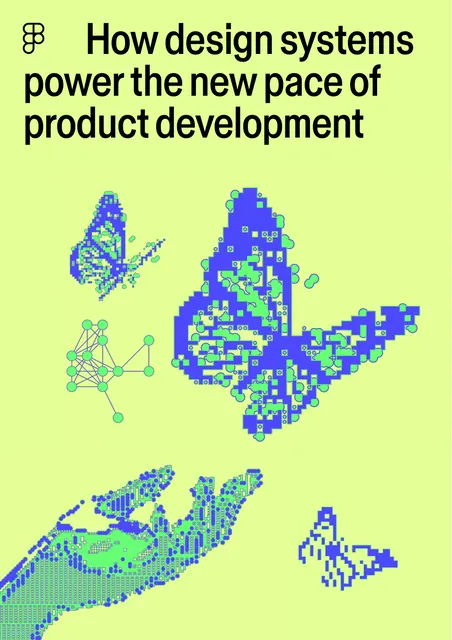
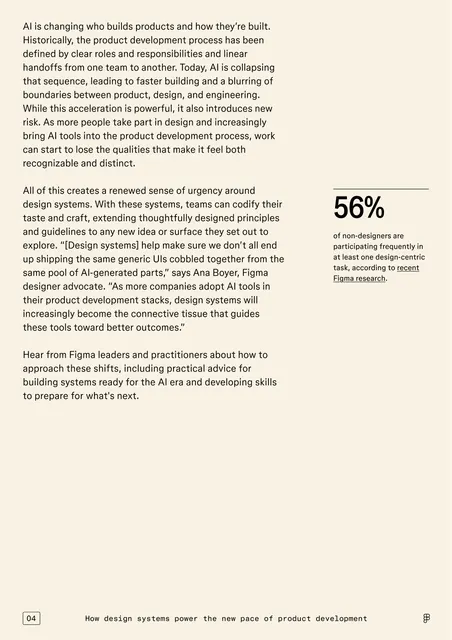
The starting point: a long-form report
The report draws on Figma’s product team and design-system leaders at companies including Uber and Coinbase to explain how AI is changing collaboration, and what makes a design system AI-ready: structure, documentation, code connections through MCP, scale and new skills. In print it is 31 pages of essay and quotes, and its central idea, that context changes what AI produces, is only described.
The brief
The best evidence for the report’s argument is to show it working. The edition had to let readers feel the difference context makes.
Make context collectable
Each chapter gives the reader one layer of context to add, from tokens and components to documentation and prompts.
Show the output change
Demos show a generic AI output improving as layers are added, with a score and a list of what the model had to guess.
End with the proof
The closing section shows what AI built with the context the reader gave it.
Who it is for
Design-system teams, product designers, engineers and the product leaders who fund them.
Design-system leads
See which investments in structure and documentation matter most for AI.
Designers and engineers
Try the MCP and code-connection demos that link design to the IDE.
Product leaders
Read the Quick track’s gists and the closing takeaways.
From PDF to edition, chapter by chapter
The edition follows the report’s chapters in order.
| Chapter | The report’s point | In the interactive edition |
|---|---|---|
| Introduction (p. 3) | AI has collapsed and shifted the product lifecycle | A predict-then-reveal question and a read-aloud introduction with synced narration |
| Navigating a new era of collaboration | Roles overlap and anyone can start the work | A lifecycle that collapses as the reader explores it |
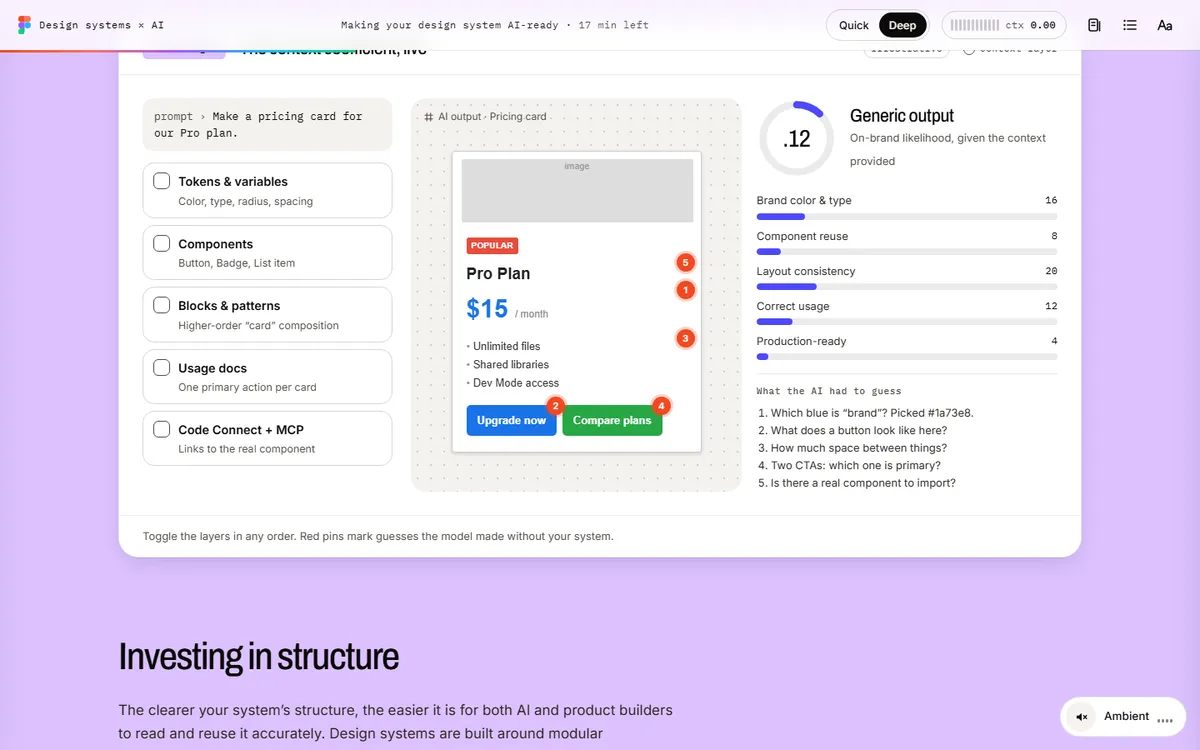
| Making your design system AI-ready (p. 7) | AI is a new consumer of the system; structure and foundations matter | Toggle tokens, components, blocks, usage docs and code connections to see an AI-generated pricing card improve |
| Bridging design and code | MCP brings design context into the developer environment | A process loop of design context pulled into the IDE |
| Maintaining robust documentation | Make the implicit explicit | Documenting the why behind a component |
| Setting up for scale (p. 18) | The flywheel of AI collaboration | Nine modules of one system and a flywheel that builds momentum |
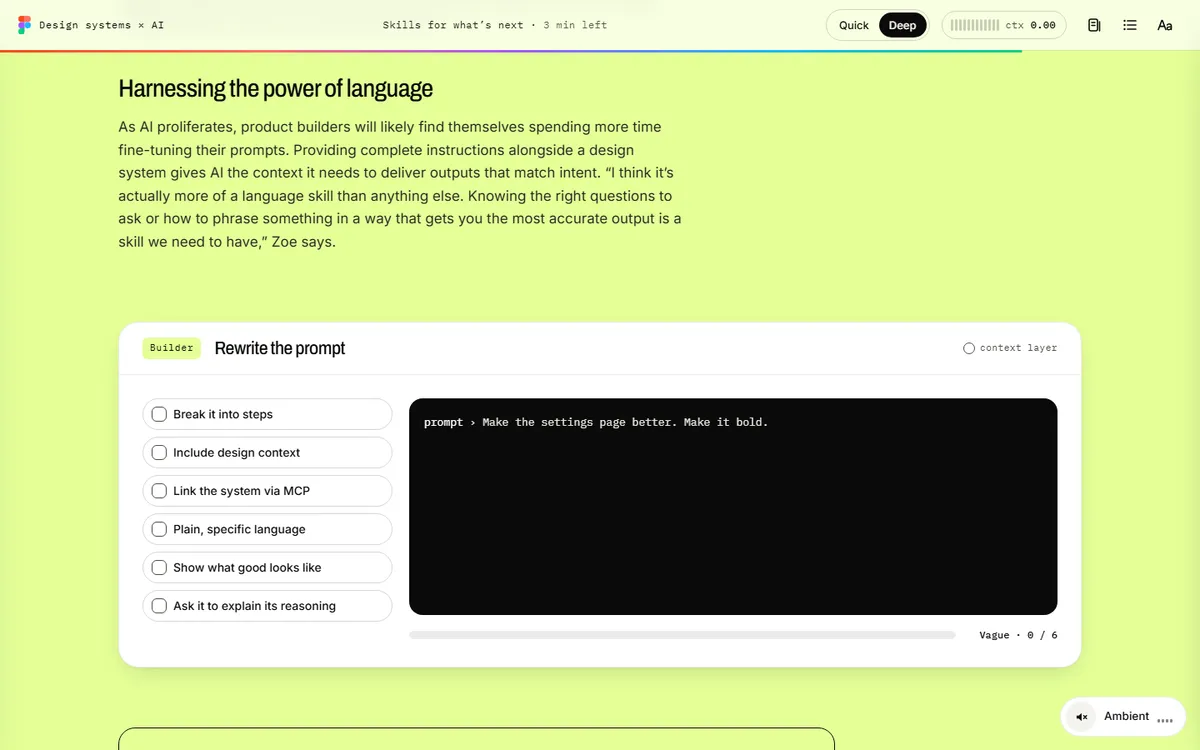
| Pushing teams further (p. 23) and the road ahead (p. 28) | Watch AI’s behavior, experiment, write better prompts | Catch drift, rewrite a prompt from vague to specific, a quiz and the generated closing page |
What Studio Vektor did
Turned the report’s argument into something the reader builds.
Made the cover generate itself
The cover assembles from design-system parts, previewing the idea that a system can produce the page.
Made context visible
In the foundations demo, every layer the reader switches on raises the output score and removes a guess from the list of what the model had to invent.
Synced narration
The introduction can be heard with word or sentence tracking, using the reader’s device voice.
Closed the loop
The last section is built from the layers collected, so the ending differs for each reader.
The 12 context layers
Each interaction adds one layer of context. The edition’s ending is built from the layers the reader collected.
| Interactive | Type | What the reader does |
|---|---|---|
| Predicted the 56% | Predict, then reveal | Guesses a headline figure from the report before it appears |
| Collapsed the lifecycle | Animated diagram | Explores how AI collapses the linear handoff between roles |
| Gave the model full context | Live demo | Switches on foundations and watches a generated card improve |
| Grouped parts into a block | Demo | Combines components into a reusable block |
| Structured your tokens | Demo | Organizes tokens so AI can read them |
| Pulled context through MCP | Process loop | Connects design to code, automates token work and audits alignment |
| Documented the why | Demo | Adds the reasoning behind a component to its documentation |
| Built flywheel momentum | Animated diagram | Turns the flywheel of AI collaboration |
| Co-authored variants with AI | Demo | Generates component variants with AI |
| Caught every drift | Monitor | Finds where AI broke the system’s rules |
| Wrote a specific prompt | Builder | Rewrites a vague prompt with six habits |
| Passed the checkpoint | Quiz | Answers five questions on the report |
Reading experience and accessibility
Thirty-one print pages become one responsive edition that keeps every interactive in both tracks.
Two tracks
Quick swaps long passages for one-line gists; Deep keeps every quote, example and implementation detail.
Listen along
Synced narration with word or sentence tracking, using the reader’s device voice.
Reading settings
Text size, Auto, Light, Dark and Sepia themes, dyslexia-friendly type (Atkinson Hyperlegible) and bionic emphasis.
Discussion
Sample discussion threads beside key quotes, written for this edition.
Announced results
Sixteen live regions announce demo results and quiz feedback.
A print stylesheet for the full report.
Design system
Figma’s bright palette, with each chapter taking its own color from the report.
- Indigo
#4D49FCActions and selections - Lime
#E4FF97Cover and chapter grounds - Lavender
#DCC1FFChapter grounds - Neon
#67FF75Highlights - Figma colors
#F24E1E → #00B6FFBrand accents in diagrams
Type
Archivo for display, Inter for reading, IBM Plex Mono for code and labels, and Atkinson Hyperlegible for the dyslexia-friendly mode.
Built like a design system
Components, tokens and states in the edition follow the system the report describes.
Illustrative outputs
Every generated output and score in the demos is labelled as illustrative.
How it’s built
The edition is itself a small design system: chapters, demos and layers share one set of tokens.
| Aspect | Approach |
|---|---|
| Delivery | One self-contained HTML file (about 700 KB) with its images embedded. No platform, plugin or reader app. |
| External requests | The web fonts, with system-font fallbacks, and a page-view analytics tag |
| Narration | The reader’s device voice through the Web Speech API, with word or sentence tracking |
| State | Answers, progress and settings saved in the reader’s browser |
PDF vs interactive edition
The PDF describes what context does for AI. The edition shows it.
| Question | Original PDF | Interactive edition |
|---|---|---|
| Does context change AI output? | Quotes and explanation | Switch layers on and watch the output improve |
| What does MCP do? | A paragraph | A process loop from design to IDE |
| How do I write a better prompt? | Advice | A prompt that improves as habits are added |
| What does the report add up to? | Key takeaways | An ending built from the reader’s own layers |
What we would measure
This edition is an independent demonstration with no audience data, and we don’t report results for it. For a design-tool company, the layers readers collect show which ideas land.
Topics of interest
Which layers and demos readers spend time on.
Depth
Track choice and how many of the twelve layers readers collect.
Intent
Quiz completion and clicks to the product.
Where this approach fits
Reports about a capability are strongest when the edition demonstrates it.
Product-led reports
Research where a demo proves the argument.
Technical explainers
Concepts such as protocols and workflows shown as process loops.
Design and developer content
Audiences who expect to try things, not just read them.
FAQ
Common questions about this edition and projects like it.
Was this edition commissioned by Figma?
No. It is an independent portfolio demonstration built from a report Figma published. The report is Figma’s; the editorial layer, interactions, design and build are Studio Vektor’s.
Does the edition use a real AI model?
No. The outputs and scores are designed to illustrate the report’s argument and are labelled as illustrative.
What would an edition like this cost?
Interactive eBooks start from $635, and the Advanced package with one defined quiz or scoring tool and interactive charts starts from $1,170. An edition at this depth, with a generative cover, synced narration and twelve demos, goes beyond those packages and is quoted on scope after we see your document.
Could the edition use our own design system?
Yes. A commissioned edition can be built from your own tokens and components, so the pages themselves become a showcase of the system.
Publishing about your product?
Let the edition demonstrate what the report claims.
Product-led reports and technical explainers work well. Send the PDF and we’ll show you how.